Using the stopwatch with mandates
If the Mandates module is activated, the Contacts menu contains two additional commands:
- Mandates
- Stopwatch
The Mandates command gives access to the Mandates file.
The Stopwatch command displays the following dialog :
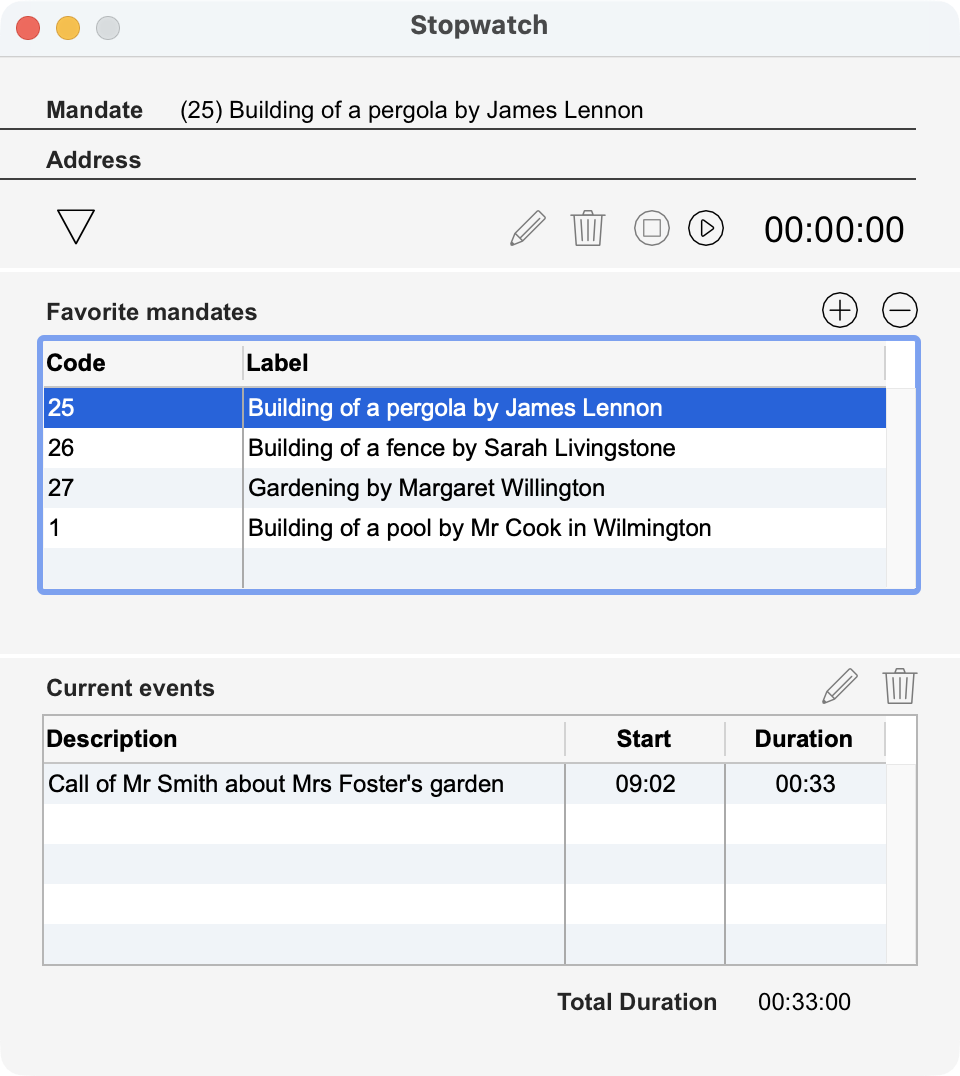 |
This dialog lets you measure the time used for a mandate. Select the mandate you are working on then start the stopwatch. When finished, stop the stopwatch: an Event record is created, displayed in the Current events area. This record is filled with by default values: Start date and time, End date and time, duration, address code linked to the mandate, employee linked to the current user account. By clicking on the pencil button, you can edit the Event record. If necessary, delete the event with the trash button. Mandate: Chosen mandate for which the time will be measured. Address: Contact person linked to the mandate. Stopwatch: start the stopwatch with the Play button and stop it with the Stop button. Favorites Mandates: list of current mandates. Edit this list with the + and - buttons Current events: list of the events of the days linked to mandates. Total duration: total time used today for mandates.
|
Notice: this dialog can also be displayed if you click on the Stopwatch button at the bottom of the Mandates file main window.
 Français
 Deutsch
 Italiano