Quickly select events with the mini-calendar
| At the bottom of the main window in the Events file, there is a button with this icon: |  |
|
When you click on this button, a small window is displayed, containing a calendar used for selecting events by date. From this calendar, you can choose the year, the month, the week or the day of the events you want to find. If you want to select a whole week, click on the week number on the left hand side. If you want to select all Tuesdays, click on the day name on the first line. |
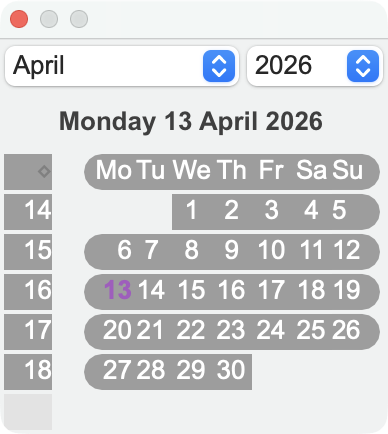 |
|
A pop-up menu right from the calendar icon lets you combine the events date and the employees' names. |
 |
The selection of Events displayed in the main window is the result of the choice made in the calendar.
In many cases, this method is quicker and more comfortable than the use of the Find and Search commands.
 Français
 Deutsch
 Italiano