Cashing in from the Loan management window
When managing loans, you can have to cash in fines for overdue loans, reader subscriptions or for any other reason (for instance title damaged or lost). You can register the cashing in.
Cashing in a fine for overdue loans
If the software has been configured for calculating fines for overdue loans or reminder fees, a due amount is automatically displayed below the table in the titles zone.

If you register the return of a title, when validating loans, you get a dialog box displaying the due amount :
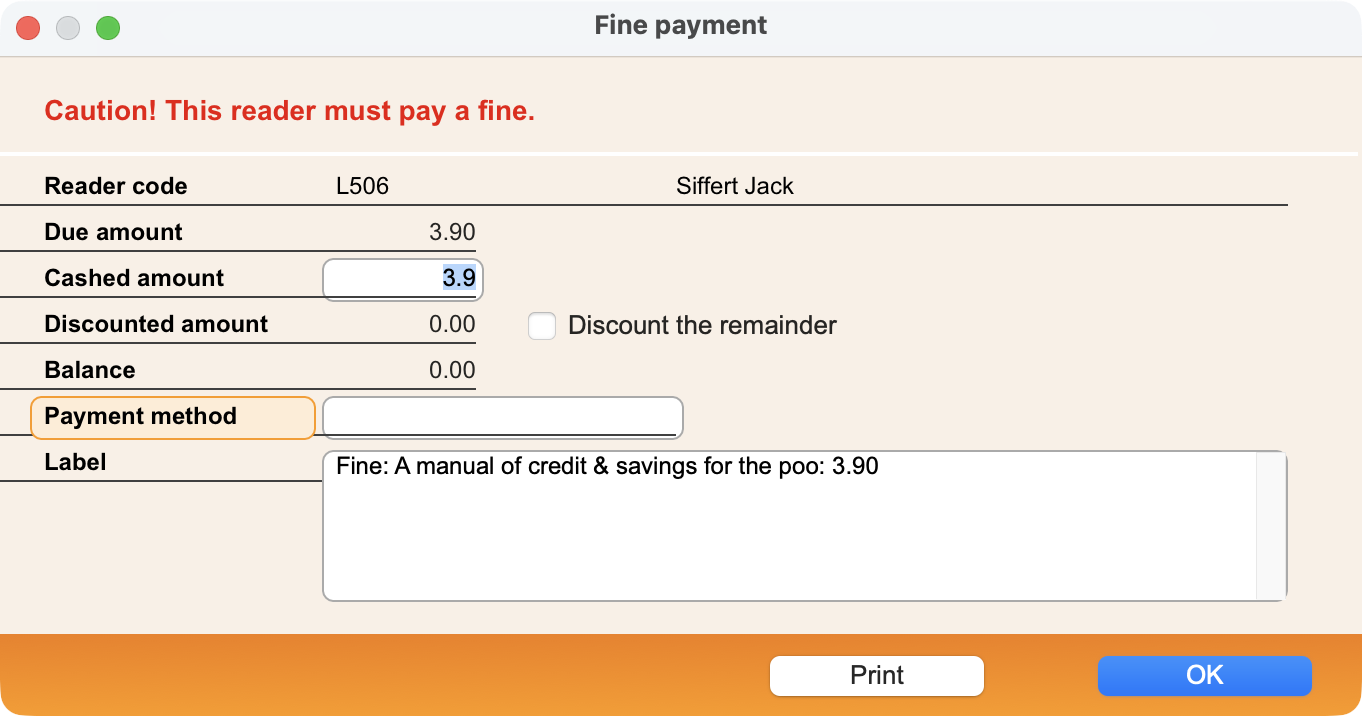
If the reader pays the due amount, the cashed amount will have the same amount. In this case, you can enter a value in the Payment method and Label fields.
But if the reader is not able to pay the due amount, you can choose between cashing in a smaller amount (and the remainder will be discounted) or cash in nothing (the Cashed amount will be 0). In this last case, you can decide to cash in the next time the reader comes to the library or fully cancel if you tick the Discount the remainder check box.
If the cashed amount is 0 and the Discount the remainder check box is not ticked, an alert is displayed in the messages zone the next time you identify the reader, so that you don't forget to cash in the due amount.
If the reader pays the due amount, you can print a slip. Validate the payment with the OK button.
Cashing in for other reasons
You can register the cashing in from the loans management by clicking on the Payment button. A dialog box is displayed and you can choose the payment reason:
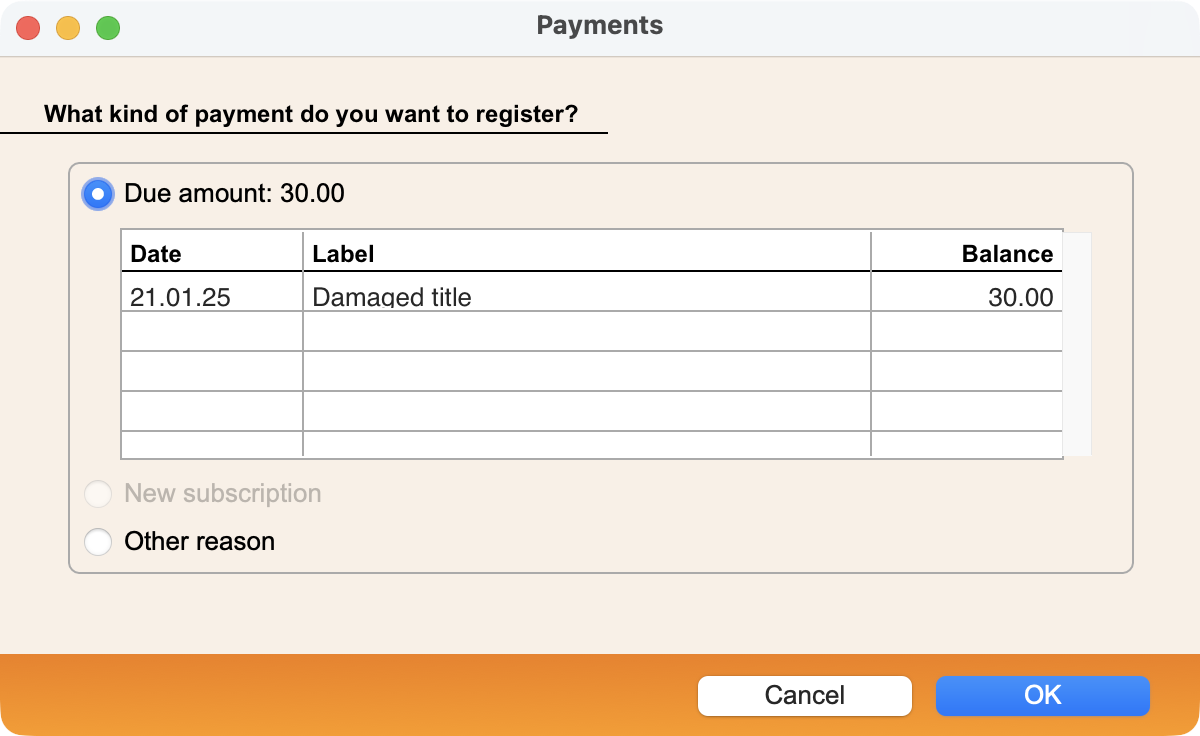
After you have selected the reason, validate with OK. A second dialog box is displayed:
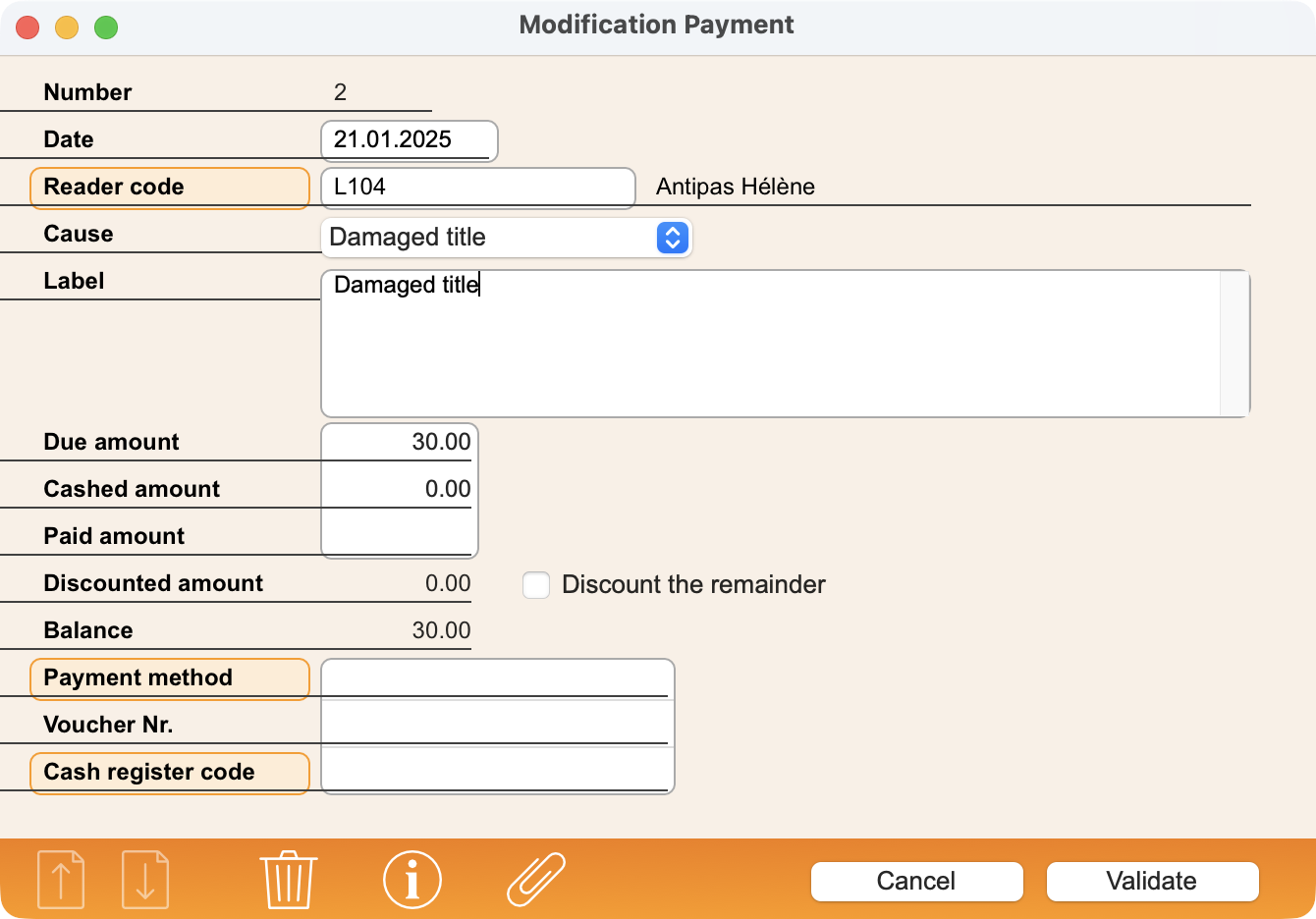
Enter the needed information in the fields. If you cash in the due amount, enter it in the Cashed amount field. If you cash in only a part of the due amount, enter it also in the Cashed amount. The Discount the remainder check box is automatically ticked, as you will not be able to demand the remainder to be paid later on.
If necessary, enter a value in the Cause, Label, Payment method, Voucher Nr. and Cash register code fields before validating.
 Français
 Deutsch