The loan management window
Access to the loan management window
When the software starts, it automatically displays the last file that was opened when you left the software: Titles, Addresses, Loans, etc. The first operation therefore consists in
displaying the Loans file via the Data>Loans menu.
To access the Loan Management window, then choose Action>New or click the New button in the button bar at the top of the main window.
The window
The loan management window allows you to perform all the transactions recording operations with the readers, such as the loan, reservation, return, loan renewal, cashing in,
printing the reader account status, etc. In general, this window remains permanently open at the lending desk during library opening hours.
The window contains several areas :
|
Entry area ->
Messages area ->
Reader area ->
Loans area ->
Selection area ->
Buttons area -> |
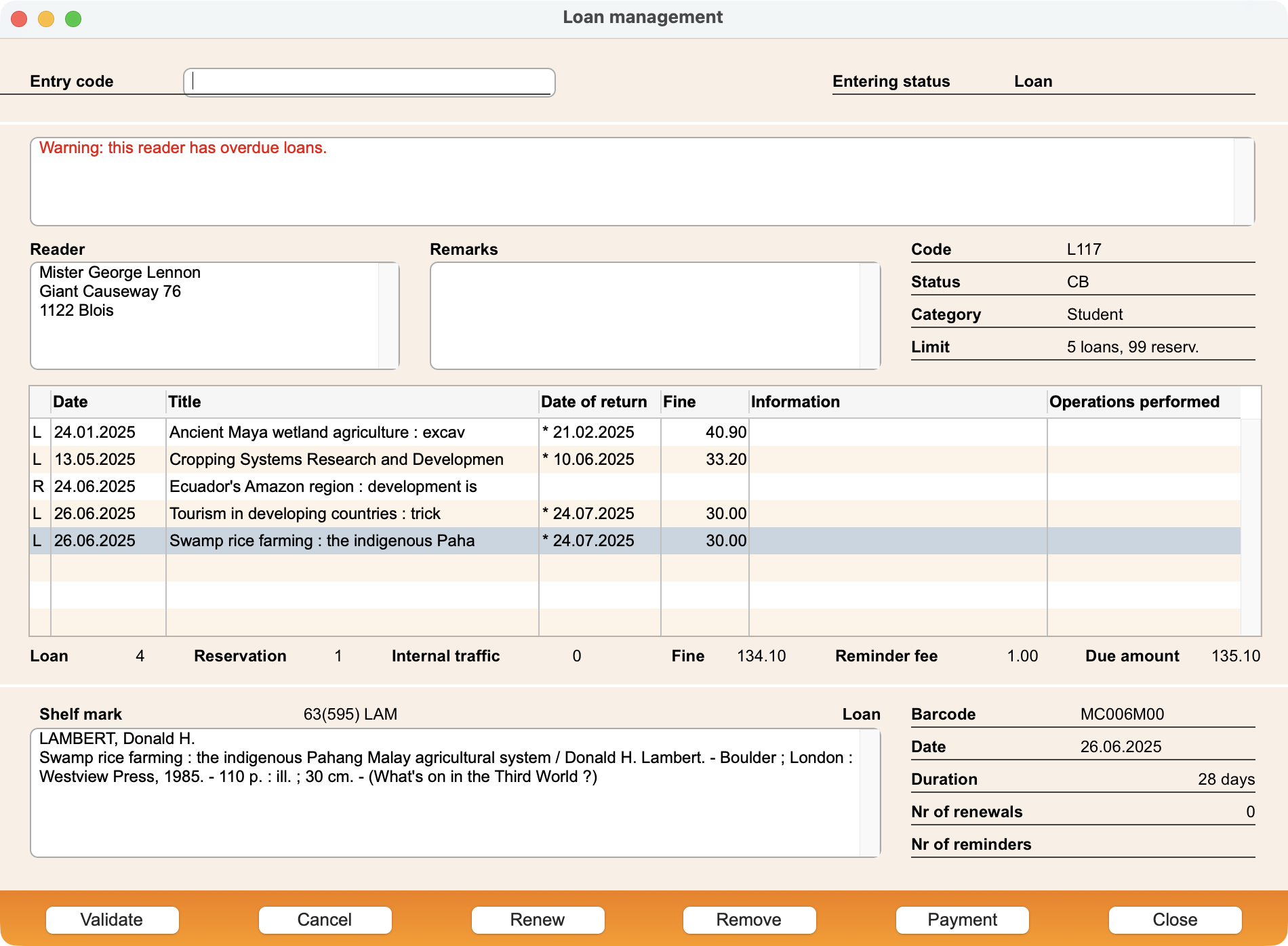 |
| Entry area | In this area, you identify the reader and the titles and you check the current Entering status (Loan / Reservation / Renewal / Remove-Return / Internal traffic). |
| Messages area | This area displays several warnings such as overdue loans, open due amount, expired subscription, etc. |
| Reader area | This area displays information about the current reader. |
| Loans area | This area displays loans and reservations for the current reader. |
| Selection area | This area displays further information about the title selected in the titles area. |
| Buttons area | This zone contains several buttons for renewing or removing loans/reservations or cashing in. |
Menus
The loan management window is accompanied by two menus offering various commands.
The File menu essentially allows you to print the reader's account status on an A4 page or on a ticket (if you have a receipt printer).
The Entry menu contains commands to change the Entering status and tell the software what your next actions will be: recording loans, reservations, renewals, returns, internal
traffic. It also allows you to search titles, modify title or reader records, recall one of the last readers for which you made a transaction or view their history of loans.
 Français
 Deutsch