Setting up the programs for EBICS 3.0
EBICS 3.0 is a European and Swiss standard that allows you to access your bank account without using the usual e-banking function.
With just a few clicks, you can retrieve payments received from your customers (debtors) and transfer funds to your suppliers (creditors) or salaries to your employees.
Before using the EBICS communication protocol, some preparatory work is necessary:
- Contact your bank to inform them that you wish to access your account via EBICS. Once you have signed the relevant contract, your bank will explain the conditions you must meet and the steps you need to take, in particular the exchange of encryption keys to ensure the confidentiality of the data exchanged.
- Configure your software so that the program can communicate with your bank's servers. This configuration is carried out at several levels.
Users accounts
In Maintenance (Maintenance>Configure Users command), grant the necessary permissions to software users for EBICS:
In Business :
- File Transfer centers > EBICS connection : In principle, only the administrator needs this authorization in order to define the basic parameters for connecting to the bank.
- File Creditor payments > EBICS connection : This authorization allows a user to manage transfer orders pain.001 and pain.002 to pay suppliers.
- File Debtor payments > EBICS connection : This authorization allows a user to import payments made by customers (camt.054 file).
In Finance :
- File Entries > EBICS connection : In principle, only the administrator needs this authorization in order to define the basic parameters for connecting to the bank. (file camt.053).
In Staff :
- File Transfer centers > EBICS connection : In principle, only the administrator needs this authorization in order to define the basic parameters for connecting to the bank.
- File Salaries > EBICS connection : This authorization allows a user to manage transfer orders pain.001 and pain.002 to pay employees.
Access to the EBICS settings
In Maintenance, you need to configure the software so that it can communicate with your bank's server.
In the Operations menu, select the Configure EBICS command and create a configuration. If you have several accounts at the same bank, the bank will inform you whether you need to sign several contracts, and therefore create several configurations, or just one. If you have accounts at several banks, you will need to create several separate configurations.
Configuration
A configuration record consists of the following sections:
Contract Tab
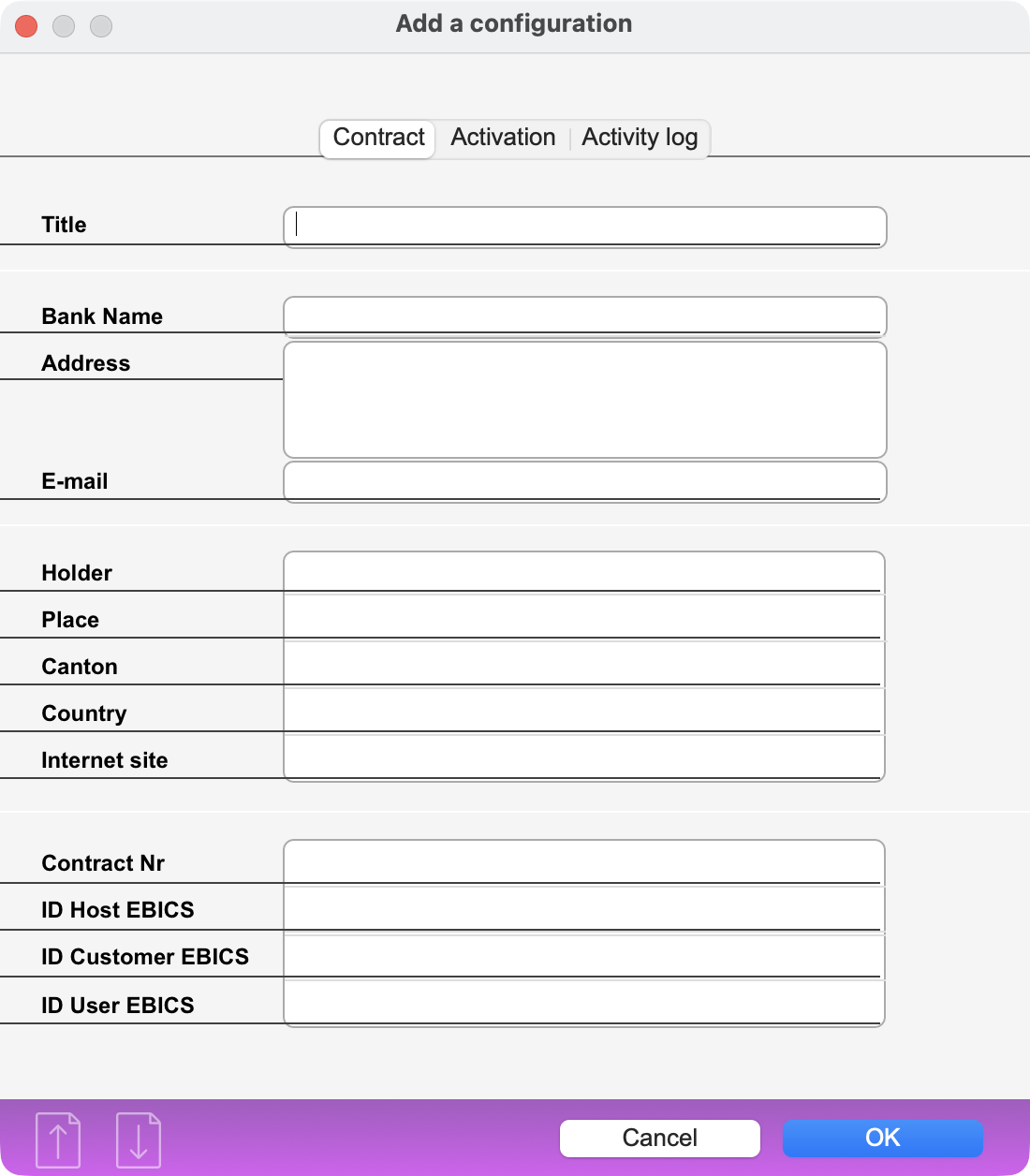 |
Bank data, Contract Nr, ID Host EBICS, ID Customer EBICS, ID User EBICS : these information are communicated by the bank. |
Activation Tab
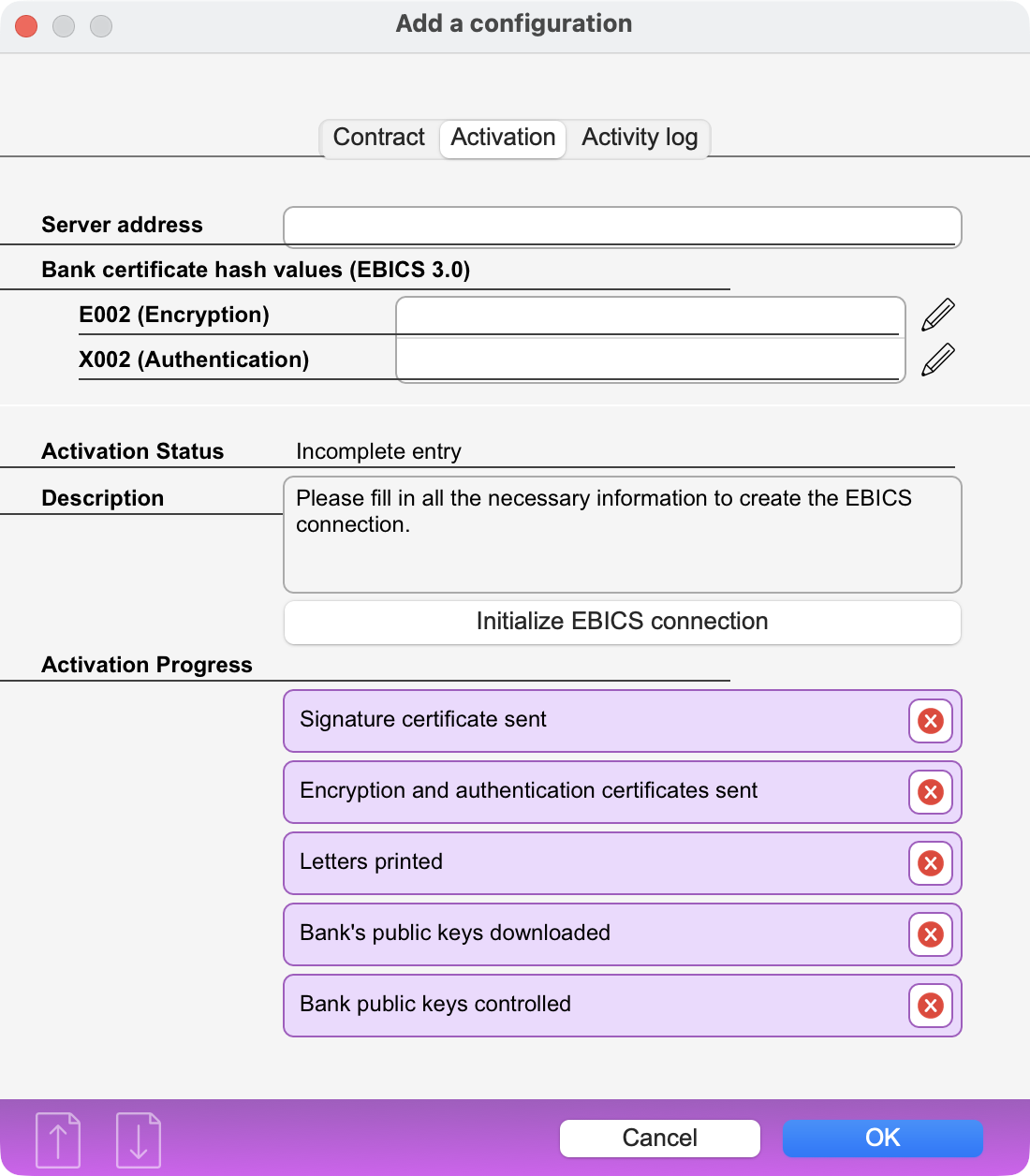 |
Server address : bank server's address Bank certificate hash values (EBICS 3.0) E002 (encryption) : data communicated by the bank X002 (authentication) : data communicated by the bank Activation status and Description : The program informs you whether the EBICS protocol can be used or not, depending on the progress of the preparatory steps. Activation progress : The program displays the progress of the preparatory steps. A completed step is marked with a green √. |
Activities Log Tab
This tab contains a log of the EBICS connections.
Exchanging EBICS Configuration between programs
If you use several programs from the Office Maker range and want to access your bank accounts from these different programs, configure one of them for EBICS, then export the configuration to an external file using the Save button in the dialog listing the EBICS configurations. In the other software programs, you will also find the EBICS configuration management dialog box, where you can retrieve the configuration you have created using the Include button. For security reasons, the external configuration file is protected by a password that must be created during export and will be required during import.
Transfer centers
In the Transfer Centers file (accessible via the Other menu in Business and the Data menu in Staff), the Transfer Centers records contain an EBICS Connection section. Select the desired configuration in order to communicate via EBICS.
 Français
 Deutsch
 Italiano