How do I use a debtor credit note in order to pay a debtor invoice?
After a credit note is issued for a customer, you can either refund the customer or use the credit note to pay an invoice sent to the customer.
In the second case, in the Payments file accessible via the Sales menu, enter the payment using the Action>New command.
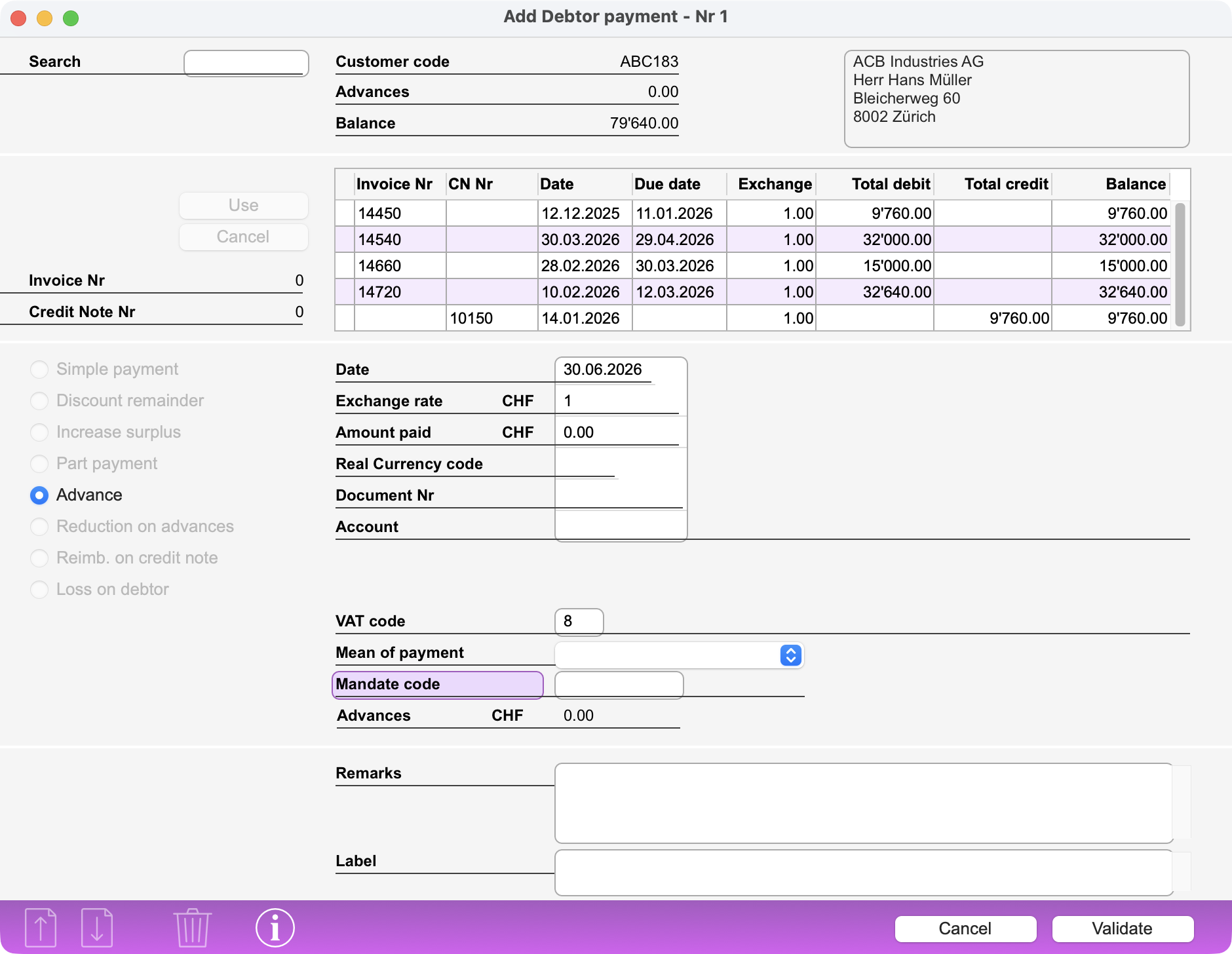
To call the debtor, enter the customer code, company or contact name, or invoice or credit note number in the Search box. The customer’s contact details are displayed, along with a scrollable list of any outstanding invoices and credit notes.
To decrease the balance of an invoice using a credit note, select the two items in succession and click the Use button each time. The letter U appears to the left of these two lines and the numbers of these documents appear in the fields to the left of the scrolling area.
After confirming, the Invoice Balance is reduced by the amount of the Credit Note. If there is a residual balance, it remains due. If the amount of the Credit Note is greater than the Invoice Balance, the Invoice is cleared and the Credit Note has a residual balance, which can be used to pay another Invoice.
The Payment generated by this operation is of Type CN.
 Français
 Deutsch
 Italiano